
Hello all! Have you noticed how the Internet of Things (IoT) growth has made smart home systems popular? This helps homeowners to automate the management of various home appliances through their systems. Homeowners today use Raspberry Pi to build efficient smart home systems that provide them with a cost-effective and efficient single-board computer solution.
In this tutorial, we will demonstrate Raspberry Pi hardware equipment alongside Raspberry Pi advantages and implementation instructions for setup.
Now, let’s get started.
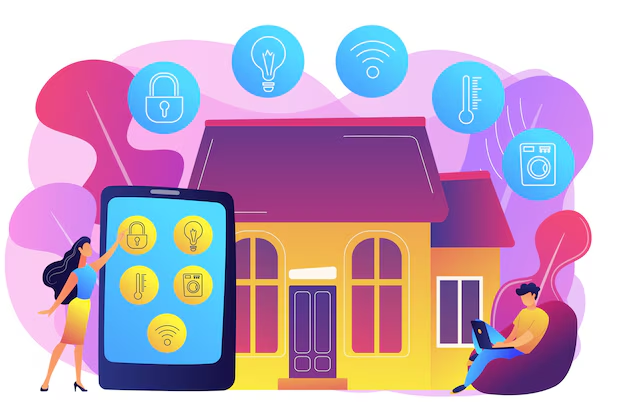
Source: Freepik
Table of Contents
What is Raspberry Pi?
The Raspberry Pi Foundation created Raspberry Pi which exists as an inexpensive small-board computer solution. The device has a clear educational purpose that includes programming practice and electronic construction projects. The small design allows users to run a complete Raspberry Pi OS system that provides functionality for home automation and robotics media centers and basic web server operations. Raspberry Pi exists in multiple versions that vary their processing power and memory capabilities as well as their network connectivity features. The device operates with Python and C programming languages thus making it appealing to students and developers who use it to discover coding through innovative project development.
Hardware or Tools Used?
Constructing a smart home system with Raspberry Pi requires the following hardware elements and tools to succeed.
The necessary hardware equipment consists of the following items:
1. Raspberry Pi (Model 4 or later)
Raspberry Pi (Model 4 or later) operates as the central processing unit of the smart home system to execute computations as well as perform all processing responsibilities. Raspberry Pi Model 4 stands as the optimal choice because its high processing speed joins forces with large memory storage and reliable connection features. This device supports Wi-Fi and Bluetooth connections that enable it to operate with smart home systems. The system can serve as an excellent choice for IoT-based automation projects because it gets its connectivity from GPIO (General Purpose Input/Output) pins through which sensors and relays, as well as other peripherals, connect.
2. MicroSD Card (16GB or higher)
The main storage component for Raspberry Pi systems functions as a microSD Card that contains 16GB capacity. Raspberry Pi requires a microSD card with at least 16GB capacity to keep enough storage for software downloads automation scripts together with log files. The system performs better and its operations run smoothly when you install a high-speed microSD card that meets either the Class 10 or UHS-1 specifications. A seamless setup and optimal system performance becomes possible when you use Raspberry Pi Imager to install the correctly formatted microSD card.
3. Power Adapter (5V, 3A)
The continuous operation of Raspberry Pi depends on a power supply of at least 5V with a minimum of 3A. The device includes a power adapter with 5V output at 3A that maintains stable voltage and current levels to prevent power-related system shutdowns. The device needs to use its official Raspberry Pi power supply because it provides excellent compatibility while safeguarding against damage. Raspberry Pi security monitoring and appliance control operations benefit from using both a UPS (uninterrupted power supply) with a power backup system.
4. Relay Module (4 Channel or 8 Channel)
Raspberry Pi uses relay modules as a control mechanism for high-voltage devices such as lights fans and air conditioners through 4-channel or 8-channel design configurations. Several control functions exist in relay modules that use either 4 or 8 channels because each module contains multiple output channels. A home appliance powers the relay module through low-voltage signals that originate from the Raspberry Pi. Automation scripts allow users to control the devices which they operate while web and mobile interfaces automate operations through relay mechanisms.
5. Different sensors
Through DHT11 temperature, PIR motion, and LDR light-sensing sensors we receive all the capabilities needed to monitor environmental conditions as well as control devices automatically. The DHT11 sensor delivers temperature and humidity data for maintaining comfortable conditions while minimizing energy consumption. PIR (Passive Infrared) sensors work as security motion detectors because they activate alarm or lighting systems upon detecting movement. The Light Dependent Resistor (LDR) acts as a sensor to measure light levels so it controls automatic lighting operations. The Raspberry Pi receives real-time sensor information which enables it to execute pre-programmed decision sets.
6. Smart Plugs (Optional)
Users can control electrical devices through Wi-Fi and Bluetooth with Smart Plugs as an optional automation component. Users gain control of power cycles and obtain energy usage metrics through Alexa or Google Assistant when Raspberry Pi functions as a smart plugs interface. Smart plugs serve both convenience and enhanced energy efficiency in smart home management systems thus becoming an irreplaceable component.
7. 16×2 or OLED
Real time sensor data as well as system alerts are shown through an LCD or OLED display that works with either 16×2 or full OLED screen dimensions. An OLED screen presents better visual quality and a clearer display compared to LCD screens that show text data on the 16×2 LCD. The Python library enables users to program display outputs with customized formats to monitor interactive dashboards that display home automation activities.
8. Jumper Wires and Breadboard
The combination of jumper wires and breadboards helps users perform temporary circuit tests for prototyping purposes. The users benefit from breadboards because they enable module and sensor connection without soldering tools which simplifies debugging and modification procedures. Jumper wires of both male-to-female and female-to-female types enable the Raspberry Pi GPIO pins to connect to external components through continuous connections. Smart home circuit design and modification happen through these tools before permanent installation by users.
9. Wi-Fi or Ethernet Connection
The ability to monitor and control devices located at a distance needs dependable Wi-Fi or Ethernet internet connections to function properly. The wireless convenience of Wi-Fi outperforms Ethernet connections when it comes to speed and reliability. DDNS service and static IP address provide uninterrupted remote access to your system. The system gains high-level Internet of Things connectivity through the integration of MQTT protocol and Blynk or Home Assistant cloud platforms.
10. Smartphone and Laptop
The principal interface to operate the smart home system relies on smartphones and laptops. Users gain appliance control capabilities by accessing web dashboards or mobile applications or SSH terminals which also enable automated sensor setting modifications. Users can boost automation functionality through custom workflow creation by integrating Google Assistant third party app with Node-RED. The setup process of Raspberry Pi becomes easier when users perform coding tasks debugging operations and system configuration through their laptops.
Why Do We Need This Concept?
Benefits of a Raspberry Pi-Based Smart Home System:
Cost-Effective
We know that many pre-built systems come with high initial costs and ongoing subscription fees, while Raspberry Pi offers a budget-friendly alternative. It is affordable to use Raspberry Pi for building IoT-based applications because its budget-friendly nature exceeds both pre-built system prices and subscription expenses. After making a small initial investment your system will function automatically with remote controls and security features without any future expenses. Users who choose open-source Raspberry Pi gain financial benefits because they can modify their system through free hardware without spending money on proprietary devices.
Customizable
We provide the perfect smart home system with Raspberry Pi because you maintain full control over its design specifications. With Raspberry Pi users maintain complete authority to automate light and appliance control systems and integrate smart security solutions. The selection process of sensors, modules, and software components benefits from your personal design choices. Through DIY approach users gain complete control of automation rules and scenarios that let them build their exact smart home system needs.
Remote Access & Control
Our Raspberry Pi system enables you to operate and monitor your home devices by accessing any application from any location. The system setup allows you to activate lighting functions with on/off buttons and manipulate thermostat settings together with receiving security alerts anywhere you are absent. Home management can be operated remotely because it offers better convenience and peace of mind through automation services including Home Assistant, MQTT and cloud based automation.
Energy Efficiency
Our Raspberry Pi based smart home system reaches its power efficiency when it automatically controls household appliances and lighting fixtures and fans. The essential automation system depends on scheduling together with environmental sensors and motion detection to prevent unnecessary energy waste. The system enables automatic light shutdown when rooms become unoccupied along with temperature control that responds to space occupancy within the home. Multiple minor power-saving methods produce reduced electricity costs and promote sustainable living.
Security Enhancement
The combination of our Raspberry Pi smart home devices with video cameras and sensors enables users to improve their home security system. The system becomes capable of providing real-time alerts and video recordings through the integration of motion detectors with door sensors and surveillance cameras. Modern technology enables homeowners to monitor their properties from a distance even when they are away from home thus enhancing home safety and quick response capabilities. Security features achieve greater strength through the integration of facial recognition technology and automatic door locking and artificial intelligence abnormal pattern detection capabilities.
How to Implement This?
Step 1: Setting Up Raspberry Pi
Prepare the Raspberry Pi
You will remove the packaging on your Raspberry Pi and check for the required components like a microSD card, power adapter and HDMI cable alongside the monitor, keyboard and mouse. It is necessary to place the microSD card in the designated slot. Connect all peripherals attach the power adapter to a power source and begin the installation process.
Install Raspberry Pi OS
The website will have the official Raspberry Pi Imager software available to you. The microSD card should be given to your computer for installation of Raspberry Pi OS using the imager program. Choose from the lite version which has a command line interface or the full one which has a desktop environment. Once the installation process is over, take out the microSD card and plug it into your Raspberry Pi.
Power On and Initial Setup
The power adapter connection can be used to activate the Raspberry Pi. When you go through the steps on the screen that prompt you to choose system preferences like language and time zone, keyboard options, etc., this is when the setup process begins. Come up with a security password and a username. To access the internet before you install updates or download content on your Raspberry Pi, you must connect it either via Wi-Fi or Ethernet cable.
Enable Remote Access
In order to be able to manage the Raspberry Pi remotely, SSH (Secure Shell) and VNC (Virtual Network Computing) functionalities must be enabled. To access SSH command line and VNC graphical interface we need to activate it through Raspberry Pi Configuration menu for the users. Users can control and manage the device with different computers or mobile devices through the system.
Update the System
Keeping Raspberry Pi updated is how you get security and peak performance.
Reboot and Verify Setup
Once the update is performed, new changes need a restart on the system. Check that HDMI display and keyboard functionality works together with Wi-Fi. Ensure that remote access protocols (SSH and VNC) are running and network is accessible. After this last verification step, the system is ready for home automation setup to reach operational readiness.
Step 2: Installing Home Automation Software
Install Home Assistant
Home Assistant is an open-source platform designed for smart home automation.
Run Home Assistant
After starting the service users can view the Home Assistant dashboard through their web browser. The web-based dashboard lets you manage devices alongside automation setup and smart home monitoring in an easy manner.
Step 3: Setting Up Automation
Add Sensors and Devices
You can connect smart devices by accessing Home Assistant to find Configuration > Integrations. Users should integrate their smart devices including smart bulbs motion sensors and relays under the Configuration > Integrations tab. The centralized control system of Home Assistant allows these devices to interact through automation thus enabling your home to become more efficient and trigger-responsive.
Create Automation Rules
Devices can communicate through automation rules whenever specific trigger conditions occur.
Save and Restart Home Assistant
The process of automation configuration requires a restart of Home Assistant to activate the modifications. The system checks that all new devices together with automation rules function properly. You can restart Home Assistant by using the Home Assistant dashboard to access Developer Tools > Services then restart the system.
Step 4: Remote Access and Monitoring
Enable Secure Remote Access
DuckDNS and Ngrok services can be used to remote control your smart home system. Free service that provides secure dynamic DNS to give you the ability to access Home Assistant from any place. Secure passwords and two-step verification are also important to keep hackers out as well as to secure a link between devices.
Monitor System Performance
Check the Home Assistant dashboard data, i.e. logs, sensors, and events from automation. Early detection of problems is possible due to the system performance monitoring system and the verification of the correct working of all smart devices. Home Assistant log reviews help users optimize their automation workflows and thereby get more efficient and faster home automation.
Conclusion
Congratulations! You have built your smart home with Raspberry Pi successfully. Sensors as well as automation rules that tell the home to react to different situations are a way to get home intelligence. Upgrading your system would include several other features like cloud connectivity, AI automation and voice control. Now, keep exploring new features to improve your smart home experience!
For complete tutorial, you can visit the official page (https://www.home-assistant.io/installation/raspberrypi)
You can also read the below tutorials.

Embedded Software | Firmware | Linux Devic Driver | RTOS
Hi, I am a tech blogger and an Embedded Engineer. I am always eager to learn and explore tech-related concepts. And also, I wanted to share my knowledge with everyone in a more straightforward way with easy practical examples. I strongly believe that learning by doing is more powerful than just learning by reading. I love to do experiments. If you want to help or support me on my journey, consider sharing my articles, or Buy me a Coffee! Thank you for reading my blog! Happy learning!
Share this:

Discover more from EmbeTronicX
Subscribe to get the latest posts sent to your email.